If you run a website for your home or small business, there’s a lot happening in the WordPress world right now – and most of it is good news. From a major new version packed with AI tools, to fresh security measures that protect your site while you sleep, this week’s updates are worth knowing about. Here’s a plain-English rundown of what’s changed and what it means for you.
1. WordPress 7 Is Here – And It Brings AI to Your Website
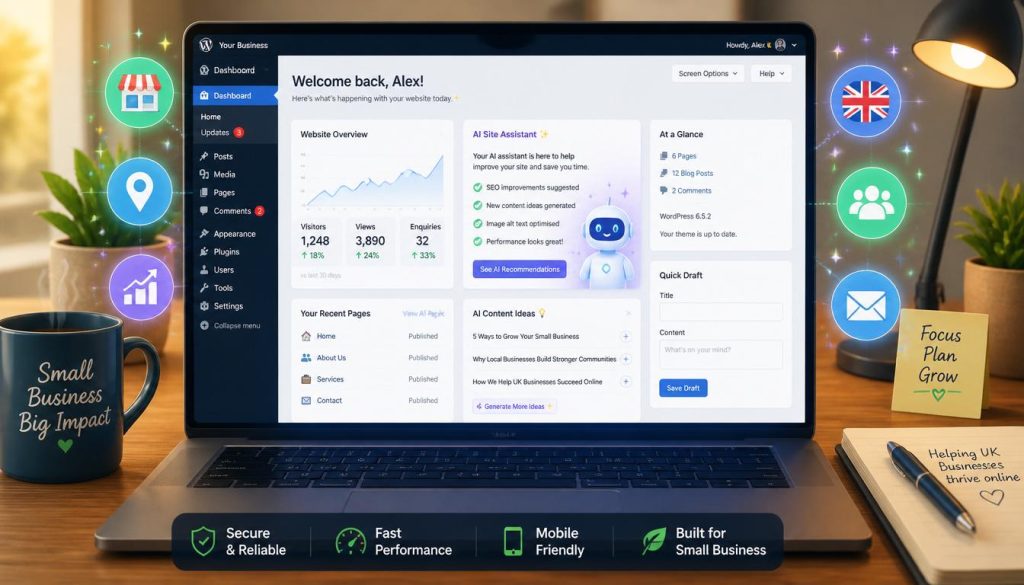
The biggest WordPress release in years – version 7.0, nicknamed “Armstrong” – landed last month and it’s starting to roll out across millions of websites. The headline feature is built-in AI. For the first time, popular AI tools including ChatGPT, Google Gemini, and Anthropic’s Claude are connected directly inside your WordPress dashboard, so you can write content, get suggestions, and manage your site without ever leaving the page.
The dashboard itself has also had its first proper redesign since 2013. It’s cleaner, easier to navigate, and works much better on a phone. If you’ve ever found WordPress a bit clunky to get around, this update should make day-to-day tasks noticeably smoother.
What this means for you: If your website host keeps WordPress up to date automatically, you may already have version 7. If not, it’s worth asking your web developer or hosting company to upgrade you when you’re ready.
2. WordPress Is Taking Security More Seriously – Here’s What’s Changed
WordPress has introduced a new security initiative called “Protect The Shire” – which might sound like something from The Hobbit, but it’s actually a very practical set of improvements to how plugins and themes get updated. The biggest change is a 24-hour cooldown period before a newly released plugin or theme can push automatic updates to your site. This gives the WordPress security team time to spot any problems before they reach you.
This matters because hackers sometimes target the moment a plugin is updated, trying to slip malicious code into the release. A delay period means there’s a window to catch that before it reaches your website.
What this means for you: This works in the background – you don’t need to do anything. It’s just extra protection built into how WordPress keeps itself safe.
3. Popular Plugins Have Had Security Flaws – Check Your Site Is Up to Date
Several widely-used WordPress plugins have had significant security vulnerabilities reported in recent weeks. The UpdraftPlus backup plugin – installed on over three million websites – had a flaw that could let an attacker log in as an administrator. Another popular plugin called Kirki, used for customising how a website looks, had a critical bug affecting over 500,000 sites that could allow an outsider to take over admin accounts.
Both have been patched (fixed), but only if your site is running the updated versions. Outdated plugins are one of the most common ways websites get hacked.
What this means for you: Log in to your WordPress dashboard and go to Plugins > Installed Plugins. If anything shows an update is available, install it. If you’re not sure how, this is a great time to ask your web developer to do a quick health check.
4. A New Free Plugin Turns Your WordPress Admin Into a Desktop App
Automattic – the company behind WordPress.com – has released a free plugin called Desktop Mode. Install it and your WordPress admin area transforms into something that feels more like a proper desktop application, with resizable windows, drag-and-drop, AI-powered search, and virtual desktops. It’s designed for people who spend a lot of time managing their website and want a more organised workspace.
What this means for you: If you update your own website regularly, it’s worth trying. It’s free, easy to install, and could make managing your content feel a lot less like navigating a maze.
The Takeaway
WordPress is in a really exciting place right now. Version 7 brings AI and a modern interface that should make your website easier to run, while new security measures and quicker patching mean your site is better protected than ever. The one thing you can do today? Make sure your plugins are up to date. It takes two minutes and could save you a serious headache.
If you’d like help getting your site onto WordPress 7, running a security check, or just making sure everything is running smoothly – get in touch with